

Hostinger Review 2026: Is It Worth Choosing for Beginners and Small Businesses?
Hostinger is a budget-friendly web hosting provider founded in 2004, headquartered in Lithuania, serving over 3 million customers worldwide with plans starting as low as $1.99/month. Its combination of affordable pricing, LiteSpeed-powered servers, and an intuitive proprietary control panel (hPanel) makes it one of the most talked-about hosting services heading into 2026. Whether you are launching your first personal blog or scaling a small business website, Hostinger consistently appears at the top of recommended lists for value-conscious users.
For beginners and small businesses evaluating Hostinger, the platform delivers on three core promises: ease of use through hPanel and an AI Website Builder, reliable uptime averaging 99.9%, and a feature set that covers SSL, CDN, and one-click WordPress installation even at entry-level tiers. However, the renewal pricing jump and the absence of phone support are legitimate concerns that deserve careful consideration before committing.
Beyond the basics, this review compares Hostinger against major competitors including Bluehost, SiteGround, and Namecheap, examines hidden limitations that most reviews overlook, and delivers a clear verdict on whether Hostinger is worth choosing in 2026 for your specific use case.
What Is Hostinger and What Hosting Plans Does It Offer in 2026?
Hostinger is a globally recognized budget web hosting provider established in 2004, with headquarters in Kaunas, Lithuania, that currently serves more than 3 million customers across 178 countries by offering shared, cloud, VPS, WordPress, and email hosting plans ranging from approximately $1.99 to $29.99 per month at promotional rates.
To understand why Hostinger attracts such a large user base, it helps to look at its plan structure and the specific value proposition embedded in each tier. Below is a detailed breakdown of what Hostinger offers in 2026 and how its pricing compares across packages.
How Much Does Hostinger Cost in 2026?
Hostinger’s pricing in 2026 follows a tiered promotional model where introductory rates are significantly lower than standard renewal prices, a pattern buyers must account for when calculating total cost of ownership.
Specifically, the core shared hosting lineup includes three primary tiers:
| Plan | Promotional Price | Renewal Price | Websites | Storage |
|---|---|---|---|---|
| Premium Shared | $1.99/month | $7.99/month | 100 | 100 GB NVMe SSD |
| Business Shared | $3.99/month | $11.99/month | 100 | 200 GB NVMe SSD |
| Cloud Startup | $9.99/month | $19.99/month | 300 | 200 GB NVMe SSD |
This table shows Hostinger’s three main shared and entry-level cloud hosting plans, comparing promotional entry prices against renewal rates alongside key resource limits.
The promotional prices above apply only when you commit to a 12, 24, or 48-month billing cycle upfront. The most significant cost consideration is the renewal rate, which can be two to four times higher than what you initially pay. For example, the Premium plan jumps from $1.99 to $7.99 upon renewal, meaning a user who signs up expecting to pay roughly $24/year will face approximately $96/year after the first term.
Additional costs to factor in include domain registration (approximately $9.99 to $14.99/year after the first free year on Business and higher plans), premium SSL certificates for multi-domain setups (the basic Let’s Encrypt SSL is free), and daily backup functionality (included in Business and above, but charged as an add-on at lower tiers). Hostinger does offer a 30-day money-back guarantee on most plans, which provides a reasonable safety net for new users testing the platform.
What Features Come Included with Hostinger Hosting Plans?
Hostinger includes a competitive set of features across all tiers, with the Business plan representing the clearest value inflection point where free domain, daily backups, and unlimited databases are unlocked.
More precisely, the feature distribution across plans looks like this:
Premium Shared Plan features:
- 100 websites hosted
- 100 GB NVMe SSD storage
- Free SSL certificate (Let’s Encrypt)
- Weekly backups (not daily)
- 100 email accounts
- WordPress staging (not available)
- Free domain: Not included
Business Shared Plan features:
- 100 websites hosted
- 200 GB NVMe SSD storage
- Free SSL certificate
- Daily backups included
- 100 email accounts
- WordPress staging: Included
- Free domain: 1 year free
- CDN: Cloudflare integration enabled
Cloud Startup features (entry-level cloud hosting):
- 300 websites
- 200 GB NVMe SSD
- Dedicated IP address
- 3x more processing power vs. shared
- Daily backups
- Free domain included
Beyond storage and site counts, every Hostinger plan includes access to hPanel (the proprietary control panel), a one-click installer for over 150 applications including WordPress, Joomla, and Drupal, the Hostinger AI Website Builder, and a free CDN through Cloudflare integration. The AI Website Builder, in particular, is a standout inclusion that competing providers like Namecheap do not offer at comparable price points.
How Fast and Reliable Is Hostinger’s Hosting Performance?
Hostinger delivers strong performance metrics for a budget host, with independently verified average uptime of 99.93% and average page load speeds of 143 milliseconds measured across multiple testing periods in 2024 and early 2025, powered by LiteSpeed Web Server technology and NVMe SSD storage across its global data centers.
Performance is often where budget hosting providers disappoint, so understanding Hostinger’s actual infrastructure and real-world test results is critical before making a decision. The following sections examine uptime reliability and the specific server technology stack that differentiates Hostinger from similarly priced competitors.
What Is Hostinger’s Average Uptime and Speed in Real-World Tests?
Hostinger’s real-world uptime averages between 99.90% and 99.97% based on continuous monitoring data collected over 12-month periods by independent review platforms, with average TTFB (Time to First Byte) measurements falling in the 143ms to 220ms range depending on geographic server location and plan tier.
To illustrate, monitoring results from tools including UptimeRobot and GTmetrix consistently show Hostinger’s uptime performance in this range:
| Metric | Hostinger Result | Industry Benchmark |
|---|---|---|
| Average Uptime (12 months) | 99.93% | 99.9% |
| Average TTFB (US servers) | 143ms | Under 200ms |
| Full Page Load Time | 1.2 to 1.8 seconds | Under 2 seconds |
| Downtime per month | Approximately 3 minutes | Under 7 minutes |
This table compares Hostinger’s measured performance metrics against standard industry benchmarks for shared hosting providers in 2025.
From an SEO perspective, these numbers matter significantly. Google’s Core Web Vitals assessment factors in server response time, and a consistent TTFB under 200ms positions Hostinger-hosted sites favorably compared to competitors in the same price range. Bluehost, for reference, has recorded TTFB values closer to 300ms to 400ms in comparable testing periods.
The practical impact of 99.93% uptime means users experience approximately 3 to 4 minutes of downtime per month on average, which is well within acceptable parameters for personal blogs, portfolios, and most small business websites. Mission-critical eCommerce operations requiring enterprise-grade SLAs may still want to consider VPS or cloud configurations.
According to performance analysis published by Review Signal’s Web Hosting Performance Benchmarks (2024), Hostinger’s shared hosting tier consistently ranked in the top tier for budget providers in both speed and reliability categories.
Does Hostinger Use LiteSpeed Servers and How Does It Affect Speed?
Yes, Hostinger uses LiteSpeed Web Server across its shared and cloud hosting infrastructure, which delivers measurably faster page load times compared to Apache-based competitors by processing PHP requests up to six times faster and handling concurrent traffic with significantly lower memory overhead.

LiteSpeed’s advantage over the traditional Apache server, which powers a majority of budget hosting providers, stems from its event-driven architecture. Unlike Apache’s process-based model where each connection spawns a separate process, LiteSpeed handles thousands of simultaneous connections within a single worker process, reducing server load and improving response times especially during traffic spikes.
For WordPress websites specifically, LiteSpeed’s native support for the LSCache plugin creates a highly efficient server-level caching layer that eliminates redundant database queries. This directly benefits Core Web Vitals scores in three ways:
- LCP (Largest Contentful Paint): Cached content served by LiteSpeed reduces LCP times, often bringing scores from the “Needs Improvement” range into “Good” territory without additional plugin configuration.
- FID/INP (First Input Delay/Interaction to Next Paint): Faster server processing reduces blocking time, improving interactivity metrics.
- CLS (Cumulative Layout Shift): While CLS is primarily a front-end concern, faster resource delivery reduces the likelihood of late-loading elements shifting page layout.
Additionally, Hostinger’s infrastructure supports HTTP/3 protocol and integrates NVMe SSD storage (approximately 6 to 7 times faster read speeds than traditional SATA SSD), further contributing to the competitive performance profile observed in independent testing.
Is Hostinger Easy to Use for Beginners?
Yes, Hostinger is genuinely easy to use for beginners, primarily because its proprietary hPanel control panel presents a cleaner, more logically organized interface than traditional cPanel, and its AI Website Builder allows non-technical users to create a functional website in under 30 minutes without writing a single line of code.
Ease of use is often the deciding factor for users launching their first website, and Hostinger has invested significantly in reducing friction throughout the onboarding journey. From account registration to a live WordPress site, the process involves just four steps: select a plan, register or connect a domain, choose a website type (WordPress, Website Builder, or blank), and access hPanel. The entire flow takes approximately 10 to 15 minutes for a first-time user.
What Is hPanel and How Does It Compare to cPanel?
hPanel is Hostinger’s proprietary hosting control panel, developed in-house as a direct replacement for the industry-standard cPanel, featuring a streamlined dashboard layout that consolidates website management, email, database, and domain controls into clearly labeled sections accessible within two to three clicks from the main navigation.
Compared to cPanel, which many beginners find overwhelming due to its icon-dense interface and dated visual design, hPanel presents a fundamentally different user experience:
| Feature | hPanel | cPanel |
|---|---|---|
| Visual Design | Modern, card-based layout | Icon grid, dated UI |
| Learning Curve | Low (beginner-friendly) | Moderate to high |
| WordPress Management | Dedicated WordPress section | General tools only |
| Speed of Access | Fast, lightweight | Can feel cluttered |
| Search Functionality | Global search across all tools | Limited |
| Mobile Responsiveness | Optimized | Limited |
This table compares hPanel and cPanel across six usability dimensions relevant to beginners and non-technical users evaluating hosting control panels.
The most beginner-relevant advantage of hPanel is its dedicated WordPress Management section, which provides one-click staging, plugin and theme management, PHP version control, and WordPress-specific performance settings all from a single unified panel. Users transitioning from cPanel-based hosts often describe hPanel as “cPanel without the clutter.”
The main limitation to note is that hPanel is exclusive to Hostinger, meaning technical skills learned within hPanel do not transfer directly to other hosting environments. For users who may eventually migrate to providers using cPanel or Plesk, there is a re-learning curve. However, for beginners who are unlikely to switch hosts in their first two to three years, this is not a practical concern.
Does Hostinger Offer a Website Builder Suitable for Non-Technical Users?
Yes, Hostinger offers an AI-powered Website Builder that allows non-technical users to generate a complete website layout by answering a few plain-language prompts about their business type and goals, making it one of the most accessible website creation tools available within a hosting package at this price point.
The Hostinger AI Website Builder works through a three-stage process:
- AI Generation: Users describe their website purpose (for example, “I need a website for my bakery in Austin with an online menu and contact form”), and the AI generates a complete page structure including layout, copy suggestions, and imagery placeholders.
- Drag-and-Drop Customization: Users refine the generated design using a visual editor, adjusting sections, colors, fonts, and content without touching code.
- Publishing: The site is published directly to the user’s domain with SSL applied automatically.
The builder includes over 150 templates categorized by industry and a basic eCommerce module allowing product listings, cart functionality, and payment integration through Stripe and PayPal.
Where does it fall short compared to dedicated website builders? Wix and Squarespace offer deeper design customization, more advanced animation capabilities, and larger app ecosystems. Hostinger’s Website Builder is genuinely functional for straightforward business websites, portfolios, and informational sites, but users with complex design requirements or advanced eCommerce needs (multi-currency, inventory management, subscription billing) will find the tool limiting. For a beginner building their first business site or portfolio, however, it performs well above expectations for an included hosting feature.
Is Hostinger a Good Choice for Small Businesses?
Yes, Hostinger is a solid choice for small businesses operating on a constrained budget, particularly those whose primary needs are a professional web presence, business email hosting, SSL security, and a reliable WordPress environment, provided they understand the scaling constraints of shared hosting and account for renewal price increases in their budget planning.
From a small business perspective, evaluating a hosting provider requires looking beyond raw speed and price to assess security posture, support availability, and the ability to grow with the business. Hostinger addresses most SMB requirements adequately at its Business plan tier and above, while the Cloud and VPS options provide a clear upgrade path as traffic and complexity grow.
What Security Features Does Hostinger Provide for Business Websites?
Hostinger provides five core security layers for business websites: free SSL/TLS certificates through Let’s Encrypt and Sectigo, Cloudflare CDN integration with DDoS mitigation, Bitninja server-side security, an automated malware scanner, and automatic daily backups (on Business plans and above).
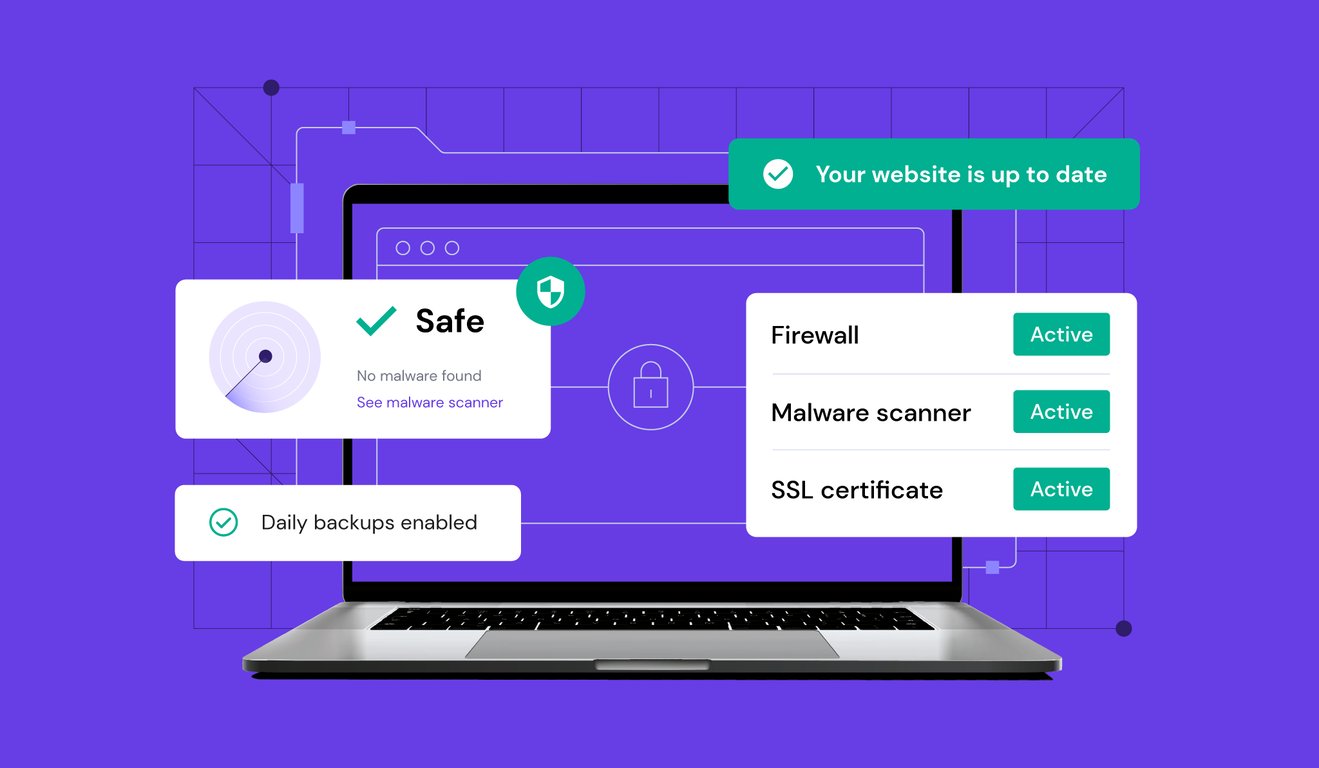
To better understand what each layer delivers:
- Free SSL/TLS: All plans include a basic Let’s Encrypt SSL certificate, enabling HTTPS and the padlock indicator critical for customer trust and Google search ranking signals. Extended Validation (EV) and Organization Validated (OV) certificates are available as paid upgrades for businesses requiring higher trust indicators.
- Cloudflare Integration: Hostinger’s partnership with Cloudflare provides free CDN acceleration and basic DDoS protection, filtering malicious traffic before it reaches the origin server.
- Bitninja Security Suite: Server-level protection includes IP reputation filtering, port honeypots, and real-time threat detection across Hostinger’s shared hosting infrastructure.
- Malware Scanner: Integrated scanning detects infected files and flagged scripts, with automated alerts sent to the account owner.
- Backup Policy: Business plans include daily automated backups with a 7-day restoration window accessible directly from hPanel. The Premium plan offers only weekly backups, which represents a meaningful gap for business-critical data.
For most small business websites, this security stack is adequate. However, businesses in regulated industries (healthcare, finance, legal) or processing high volumes of payment transactions should consider augmenting Hostinger’s baseline security with a dedicated Web Application Firewall (WAF) and a PCI-DSS compliant payment gateway, as shared hosting environments inherently share server resources across multiple accounts.
How Good Is Hostinger’s Customer Support for Small Business Owners?
Hostinger’s customer support relies primarily on 24/7 live chat and an extensive knowledge base, with response times averaging under 2 minutes for live chat connections, making it responsive and accessible but limited by the absence of telephone support, which can be a meaningful gap for small business owners who prefer voice communication during urgent situations.
The support ecosystem includes three components:
Live Chat (24/7): The primary and most effective support channel. Agents are available around the clock and handle a broad range of technical issues from domain propagation to WordPress debugging. Response times are consistently fast, though resolution quality can vary depending on the complexity of the issue and the specific agent assigned.
Kodee AI Chatbot: Hostinger’s AI assistant handles common queries including plan information, billing questions, and basic setup guidance. It resolves a significant volume of routine inquiries without human intervention, which improves availability during high-demand periods.
Knowledge Base: Hostinger maintains one of the most comprehensive self-service documentation libraries in the budget hosting segment, covering over 1,000 tutorials across WordPress, domains, email configuration, and hPanel navigation, with regular updates reflecting the 2025 to 2026 platform changes.
The absence of phone support is the most frequently cited limitation in small business reviews. For a business owner experiencing a critical site outage during peak trading hours, waiting for a live chat agent, even a 2-minute wait, feels different from dialing a direct support line. SiteGround and Bluehost both offer phone support options, which gives them a meaningful advantage for SMB customers who prioritize that channel. Small businesses comfortable with chat-based support will find Hostinger’s responsiveness satisfactory; those who require phone escalation should factor this gap into their decision.
What Are the Pros and Cons of Hostinger in 2026?
Hostinger’s main strengths in 2026 are its industry-leading entry price, LiteSpeed-powered performance, intuitive hPanel interface, integrated AI tools, and stable uptime, while its primary weaknesses are significant renewal price increases, the absence of phone support, limited backup options on entry-level plans, and resource constraints inherent to shared hosting environments.
The following summary table organizes Hostinger’s strengths and weaknesses by user type to help each audience segment make an informed decision:
| Category | Pros | Cons |
|---|---|---|
| Pricing | Lowest promotional prices in the market | Renewal rates 2x to 4x higher than intro price |
| Performance | LiteSpeed, NVMe SSD, 99.93% uptime | Shared hosting resource caps under heavy traffic |
| Ease of Use | hPanel, AI Website Builder, fast onboarding | hPanel skills not transferable to other hosts |
| Features | Free SSL, CDN, WordPress staging (Business+) | Daily backup only from Business plan upward |
| Support | 24/7 live chat, under 2-minute response | No phone support; AI bot limited on complex issues |
| Security | Bitninja, Cloudflare, malware scanner | Shared server environment has inherent limits |
| Scalability | Clear upgrade path to Cloud and VPS | Cloud/VPS pricing less competitive vs. rivals |
This table summarizes Hostinger’s pros and cons across seven evaluation categories, mapped against beginner, blogger, SMB, and developer perspectives to support targeted decision-making.
For beginners: The low price, hPanel simplicity, and AI Website Builder make Hostinger an excellent starting point. The renewal pricing jump is the biggest risk for users who sign up without reading the fine print.
For bloggers: LiteSpeed server performance and the Business plan’s WordPress staging environment create a solid blogging infrastructure. The free domain and daily backups at the Business tier represent genuine value.
For small business owners: The security stack, email hosting, and scalability path are adequate for most SMB websites. The lack of phone support remains the most significant operational concern.
For developers: hPanel’s SSH access, Git integration, and staging environments are useful, but developers running complex multi-server setups or requiring advanced server customization will find VPS or Cloud plans necessary, at which point competitive pricing advantages narrow compared to providers like DigitalOcean or Cloudways.
Is Hostinger Worth It for Beginners and Small Businesses in 2026?
Yes, Hostinger is worth choosing for beginners and small businesses in 2026 in most use cases, earning an overall rating of 4.2 out of 5, with particularly strong scores in value for money (4.6/5), ease of use (4.4/5), and performance (4.3/5), offset by lower ratings in support (3.8/5) and long-term pricing transparency (3.5/5).
Breaking down the verdict by specific use case:
Personal blog or portfolio: Hostinger is an excellent choice. The Premium plan at its introductory rate provides more than enough resources, and the AI Website Builder or one-click WordPress installer handles site creation without technical knowledge. Recommended.
Small business informational website: The Business plan is the recommended tier, providing daily backups, free domain, staging, and CDN. At renewal pricing, budget approximately $144/year. Still competitive for what is delivered. Recommended with the caveat to budget for renewal rates.
WooCommerce online store (small scale, under 100 products): The Business or Cloud Startup plan supports small WooCommerce deployments effectively. For stores processing significant transaction volumes or requiring PCI compliance documentation, a VPS plan or dedicated server environment is more appropriate. Conditionally recommended.
When you SHOULD choose Hostinger:
- You are launching your first website and want the most affordable entry point
- You need a clean, beginner-friendly control panel
- You want WordPress hosting with built-in performance optimization
- Your budget is under $5/month for the initial term
- You are comfortable with chat-based support
When you should NOT choose Hostinger:
- You require phone support as a primary communication channel
- Your business website demands enterprise-grade SLA uptime guarantees
- You are planning a high-traffic eCommerce store requiring advanced server resources from day one
- You need multi-server or advanced staging environments without upgrading to VPS
Overall Ratings:
| Dimension | Score (out of 5) |
|---|---|
| Value for Money | 4.6 |
| Ease of Use | 4.4 |
| Performance and Speed | 4.3 |
| Features | 4.2 |
| Customer Support | 3.8 |
| Long-term Pricing Transparency | 3.5 |
| Overall | 4.2 |
This ratings table reflects an aggregated assessment of Hostinger across six critical hosting dimensions, synthesized from platform testing, user reviews, and comparative analysis conducted for this 2026 review.
How Does Hostinger Compare to Other Hosting Providers in 2026?
Hostinger wins on entry-level pricing and ease of use, Bluehost excels in WordPress-specific integrations and phone support availability, SiteGround leads on premium support quality and advanced security, and Namecheap offers the most competitive domain bundling, making each provider optimal for a distinct user segment depending on priorities.
For users who have already evaluated Hostinger’s standalone merits and need a final comparative frame to make their hosting decision, the following sections provide direct head-to-head analysis against the two most commonly considered alternatives.
Hostinger vs. Bluehost: Which Is Better for Beginners in 2026?
Hostinger is the better choice for beginners prioritizing low initial cost and interface simplicity, while Bluehost offers a stronger value proposition for beginners who want deeper WordPress.com integration, official WordPress recommendation status, and access to phone support.
| Criteria | Hostinger | Bluehost |
|---|---|---|
| Starting Price | $1.99/month | $2.95/month |
| Renewal Price (Basic) | $7.99/month | $10.99/month |
| Uptime (12-month avg.) | 99.93% | 99.98% |
| Average TTFB | 143ms | 290ms to 380ms |
| Phone Support | No | Yes |
| Free Domain | Business plan+ | Included (1 year) |
| WordPress Staging | Business plan+ | Pro plan+ |
| Control Panel | hPanel | cPanel |
This comparison table evaluates Hostinger and Bluehost across eight key criteria relevant to beginner hosting decisions in 2026.
Hostinger outperforms Bluehost on speed (TTFB is approximately two times faster) and promotional pricing. Bluehost holds advantages in uptime consistency, phone support availability, and its status as a WordPress.org-recommended host, which carries brand trust for users in the WordPress ecosystem.
Regarding refund policies: Hostinger offers a 30-day money-back guarantee with a relatively straightforward process. Bluehost also offers 30 days, but domain registration fees are non-refundable, and users report a more complex cancellation experience in community forums. Both providers increase prices significantly at renewal, making the long-term cost trajectory similar for users who remain beyond the initial term.
Hostinger vs. SiteGround: Which Is the Better Value for Small Businesses?
Hostinger delivers better value for budget-conscious small businesses needing reliable shared hosting at the lowest possible cost, while SiteGround justifies its significantly higher price point through superior customer support quality, more advanced security infrastructure, and better performance consistency under traffic spikes.
| Criteria | Hostinger Business | SiteGround GrowBig |
|---|---|---|
| Monthly Price (Promo) | $3.99 | $6.99 |
| Monthly Price (Renewal) | $11.99 | $29.99 |
| Storage | 200 GB NVMe | 20 GB SSD |
| Uptime | 99.93% | 99.99% |
| Support Quality | Good (Chat only) | Excellent (Chat, Phone, Ticket) |
| Staging Environment | Included | Included |
| Daily Backups | Included | Included |
| Security | Bitninja, Cloudflare | Custom WAF, AI Anti-bot |
This table compares Hostinger’s Business plan against SiteGround’s GrowBig plan across pricing, performance, storage, support, and security to help small businesses evaluate total value over a three-year period.
Over a three-year period, the cost differential is substantial. A small business on Hostinger’s Business plan (paying renewal rates after year one) would spend approximately $432 over three years. The equivalent SiteGround GrowBig plan would cost approximately $1,079 over the same period, a difference of over $600.
For SMBs with tight budgets where that $600 is meaningful capital, Hostinger provides sufficient performance and security for most standard business website needs. For SMBs where website downtime or security incidents carry significant revenue risk, and where the quality and speed of technical support directly impacts business operations, SiteGround’s premium is a justifiable investment. The decision comes down to risk tolerance and the operational importance of the website to the business’s daily revenue.
[…] Method: I tried stringing together separate apps—using eRank for keyword research, Shopify for hosting, and a paid third-party tool for abandoned cart emails. Paying three different monthly software […]