

Real User Field Report
Dux-Soup Quick Specs
| Platform Type | Chrome Extension / Hybrid Client Automation |
| Target Network | LinkedIn Free, Business Premium, Sales Navigator, Recruiter |
| Entry Pricing | Pro (~€12.99/mo) / Turbo (~€49/mo) / Cloud (~€99/mo) |
| Core Functions | Auto-visiting, connection invites, InMail sending, sequence drip campaigns |
| Max Drip Sequence Steps | Up to 12 follow-up messages per campaign (Turbo/Cloud) |
| CRM Integrations | HubSpot, Pipedrive, Zapier, Make, Webhooks |
| Safety Controls | Humanized throttling, randomized delays, daily limits, tag skips |
My Wrist Ached, My Tabs Bloated: The Reality of Manual LinkedIn Outreach
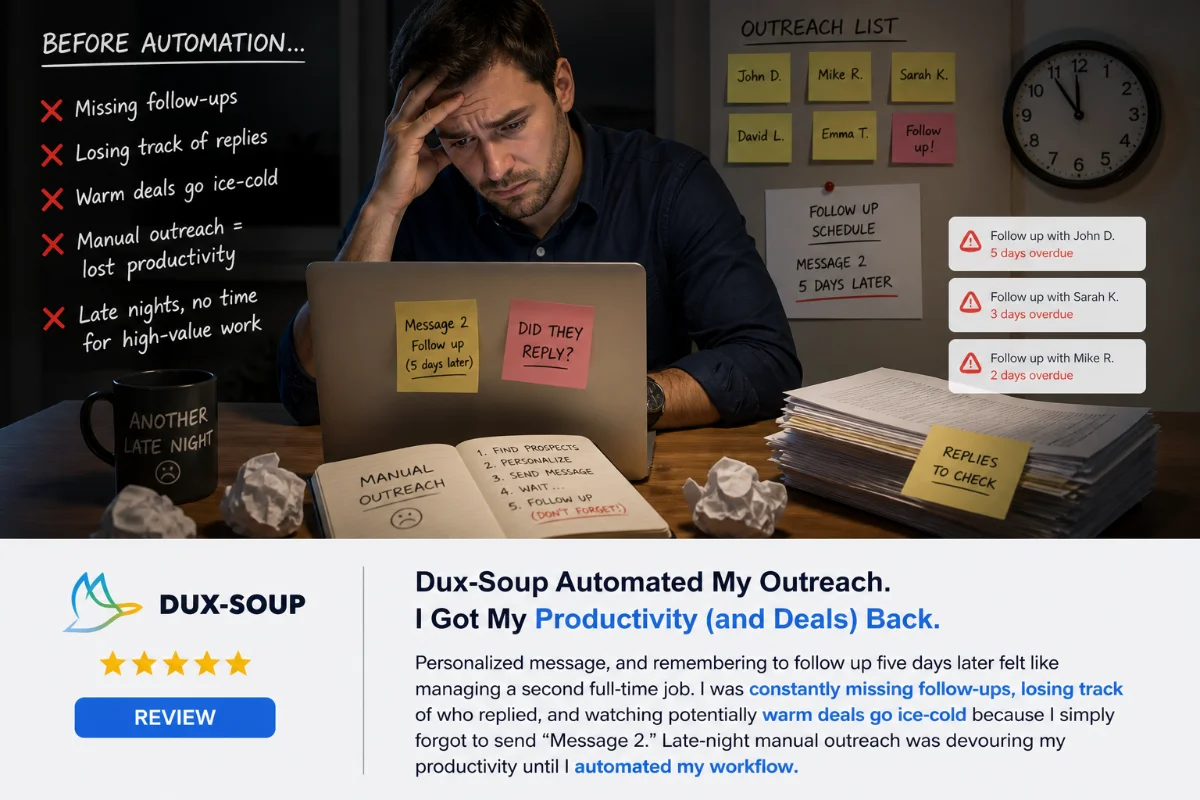
I remember sitting at my desk past 11:30 PM, staring at 34 open tabs on Google Chrome. My right hand was practically cramping from clicking on LinkedIn Sales Navigator profiles, copying prospect names, pasting customized opening lines, and manually logging every action into a messy Google Sheet. It was brutal. I knew B2B sales came down to numbers, but sacrificing three hours every single night to send 25 connection requests was draining my energy before I even got to pitch my services.
I spent weeks forcing myself to stick to this manual routine. I tried generic text expanders to speed up my typing. I tried batching profile visits during lunch breaks. But the simple act of hunting down targeted leads, sending a personalized message, and remembering to follow up five days later felt like managing a second full-time job. I was constantly missing follow-ups, losing track of who replied, and watching potentially warm deals go ice-cold because I simply forgot to send “Message 2.”
Brand & Product Overview: What Is Dux-Soup Really?
That frustration led me to start hunting for a tool that could handle the repetitive clicking without blowing out my budget. That’s when I bumped into Dux-Soup. At first glance, I was undeniably skeptical. The market is flooded with questionable LinkedIn bots that promise thousands of leads overnight, only to get your account locked or restricted within 48 hours. Furthermore, Dux-Soup runs primarily as a browser extension rather than a fancy, standalone cloud platform, which made me wonder if it was outdated.
Dux-Soup is fundamentally a client-side execution tool designed to imitate real browser actions. Instead of logging into a mysterious third-party server in another country (which flags LinkedIn security instantly), Dux-Soup sits directly in your browser, using your actual IP address and active session to visit profiles, send personalized connection requests, write custom InMails, and trigger timed drip follow-ups.
Why Everything I’d Tried Before Kept Failing Me
Before pulling the trigger on Dux-Soup, I had attempted three distinct paths:
- Pure Manual Outreach: High quality, but completely unscalable. The second client work picked up, prospecting ground to a complete halt.
- Spreadsheet + Virtual Assistants: I hired a freelance assistant to send messages manually, but keeping tone consistent was impossible, and the hourly cost scaled up quickly.
- Expensive Cloud-Based Automation Suites: They offered slick web dashboards, but costs quickly exceeded $100 a month per seat, and proxy setup was a constant nightmare.
Who Dux-Soup is for: Solopreneurs, account executives, agency owners, and lean growth teams using Sales Navigator who want straightforward, budget-conscious outbound automation directly inside their existing browser workflow.
Who Dux-Soup is NOT for: People who demand a 100% hands-off cloud experience without keeping a Chrome window open (unless you spring for their top-tier Cloud plan), or teams heavily reliant on seamless Pipedrive integration without double-checking data mappings.
Hands-On Review: Testing Dux-Soup Across Three Months
To give Dux-Soup an honest test run, I pulled out my credit card and signed up for the Turbo tier (~€49/month). While they offer a Pro tier for around €12.99/month, the basic tier only handles visiting and simple connection invites without multi-step follow-up messages. In my experience, 80% of closed pipeline revenue comes from message two and three, making the Turbo option mandatory for real outbound campaigns.
The First Three Days: Setup and Throttling Nervousness
Installing the Chrome extension took less than two minutes. However, setting my daily safety throttling limits was nerve-wracking. I started conservatively, setting Dux-Soup to visit only 50 profiles and send 15 connection requests a day. The extension interface pops up quietly on the right side of your browser. When you launch a search in Sales Navigator—say, filtering for “VP of Marketing in North America within mid-sized SaaS companies who have posted recently”—Dux-Soup reads that exact target list directly off your screen.
By Week Two: Crafting Sequences and Watching the Engine Work
Once I realized my account wasn’t blowing up, I dialed up my activity levels and built my first drip sequence. Dux-Soup allows up to 12 follow-up messages per sequence. I set up a simple 3-touch campaign:
- Touch 1: Personalized connection request referencing their role.
- Touch 2 (3 days after connecting): Short note asking a high-level operational question related to their team setup.
- Touch 3 (5 days later): Soft invitation to check out a brief video walkthrough of our service.
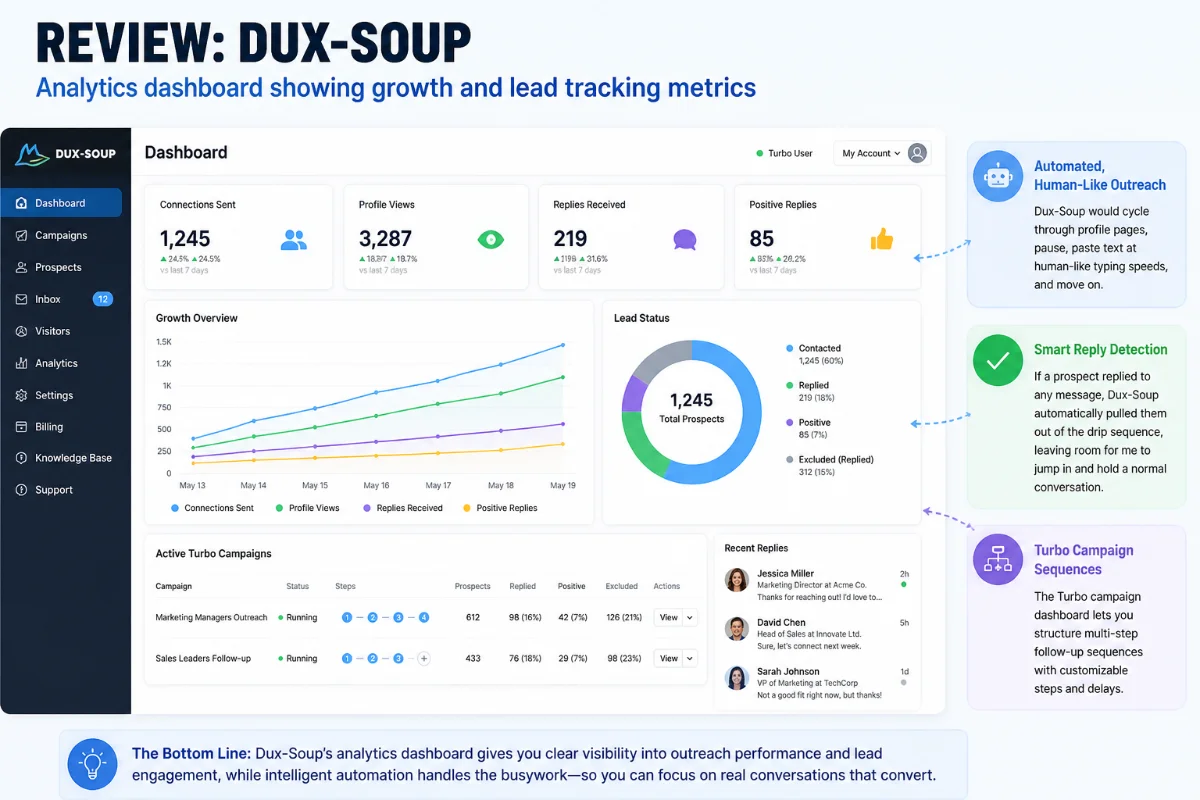
Watching Dux-Soup execute this on auto-pilot was genuinely fascinating. My browser tab would cycle through profile pages, pause, paste text at human-like typing speeds, and move on. If a prospect replied to any message, Dux-Soup automatically pulled them out of the drip sequence, leaving room for me to jump in and hold a normal conversation.
A Month In: Realizing the Flaws
It wasn’t all smooth sailing. The biggest hurdle I hit was managing the visual queue. Dux-Soup has a section called “Queued Activity.” When you launch big lists, it loads contacts into this local queue. Honestly, it can get confusing. Sometimes I couldn’t tell exactly how many profiles were scheduled for the current afternoon versus the next day, giving the feeling that Dux-Soup was going off to do its own thing behind the scenes.
Additionally, while testing a client sync into Pipedrive CRM, I encountered data integrity bugs. Names occasionally mapped incorrectly, or linked profiles got mixed up inside CRM records. If you rely heavily on standalone operation or HubSpot, it functions fine, but Pipedrive connection required tedious manual oversight.
What I Loved (The Pros)
- Incredible pricing structure compared to enterprise cloud tools.
- Flawless extraction and engagement directly inside Sales Navigator searches.
- Robust throttling controls with human-like delays to keep accounts safe.
- Automated sequence stopping the moment a prospect replies.
- Responsive customer support team with access to real live human help.
What Annoyed Me (The Cons)
- Queued Activity dashboard feels visually cluttered and hard to monitor.
- Pipedrive CRM integration suffers from data shifting and mapping errors.
- Browser extension requires your computer to remain awake and Chrome open (Turbo tier).
Specs & Key Questions Answered
How Does Dux-Soup Function with Sales Navigator?
Dux-Soup overlays directly on top of your live LinkedIn or Sales Navigator tabs. Because Sales Navigator offers granular targeting—such as filtering by senior management level, company size, recent job changes, or recent posting activity—Dux-Soup uses those exact live search results to initiate visits, tags, or message sequences without requiring static CSV list uploads.
What is the Difference Between Dux-Soup Pro and Turbo Plans?
The Pro plan (~€12.99/mo) handles basic automation tasks: visiting profiles, auto-connecting with single messages, profile tagging, and exporting prospect details. The Turbo plan (~€49/mo) enables automated multi-step drip campaigns (up to 12 sequence messages), delay scheduling, webhook integrations, and automatic data exports to CRMs like HubSpot.
Does Dux-Soup Risk Getting Your LinkedIn Account Banned?
Any automation carries inherent risk if abused. However, Dux-Soup mitigates this by running actions through your actual browser IP, mirroring human scrolling speeds, and capping daily limits. By keeping daily connection requests under 30–40 and profile visits under 100, my personal LinkedIn account has remained completely healthy throughout months of continuous usage.
How Efficient is Dux-Soup Campaign Throttling?
Dux-Soup provides detailed speed throttling menus. You can set precise minimum and maximum delays between visits, specify hours of operation (e.g., run only between 8:00 AM and 6:00 PM on weekdays), and set strict hard limits for daily connection invites and messages sent.
Does Dux-Soup Handle InMail Automation Cleanly?
Yes. If you hold Sales Navigator or Recruiter accounts with available InMail credits, Dux-Soup can prioritize sending targeted InMails before falling back to regular connection requests. It includes subject line fields, giving your cold outreach higher visibility in executive inboxes.
Top 5 Reasons to Choose Dux-Soup
- Unmatched Cost-to-Performance Ratio: At roughly €49/month for full Turbo functionality, you get enterprise-level drip sequences for half the price of tools like Expandi or Dripify.
- Maximizing Sales Navigator Nuance: It executes campaigns directly off your custom-filtered Sales Navigator lists, ensuring you target decision-makers who actually post content and engage on the platform.
- Smart Sequence Auto-Pause: The platform instantly detects inbound replies and stops subsequent automated follow-ups, preventing embarrassing automated messages after someone has already answered.
- Flexible Tagging and Data Export: You can automatically or manually tag prospect profiles during visits, making it easy to slice your audience lists and export clean LinkedIn datasets for campaign analysis.
- Human-Centric Customer Support: The Dux-Soup support staff ( shoutout to team members like Ben and Giles) actively engage with users via live chats, troubleshooting sessions, and strategic Zoom strategy calls rather than hiding behind unhelpful automated chatbots.
Ready to Automate Your LinkedIn Prospecting Pipeline?
Skip late-night manual copying and pasting. Test Dux-Soup today and turn Sales Navigator into your automated lead engine.
Rating Breakdown
9.5 / 10
9.0 / 10
8.5 / 10
9.0 / 10
6.5 / 10
9.5 / 10
Real Customer Feedback Summary
Across popular review platforms like Trustpilot, Dux-Soup holds an impressive average rating of 4.6 out of 5 stars from hundreds of verified reviews. The consensus among long-term users mirrors my own experience in the field.
What Users Frequently Praise:
- Reliable Long-Term Pipeline Growth: Multiple multi-year users highlight how Dux-Soup has consistently driven remote enterprise deals without requiring constant international travel or massive sales teams.
- High-Touch Customer Care: Reviewers repeatedly single out team members like Ben and Giles for providing valuable strategy webinars and direct live chat solutions rather than generic template answers.
- Standout Standalone Reliability: Agencies and independent consultants praise the core engine for running daily outreach loops quietly and predictably without crashing.
What Users Warn About:
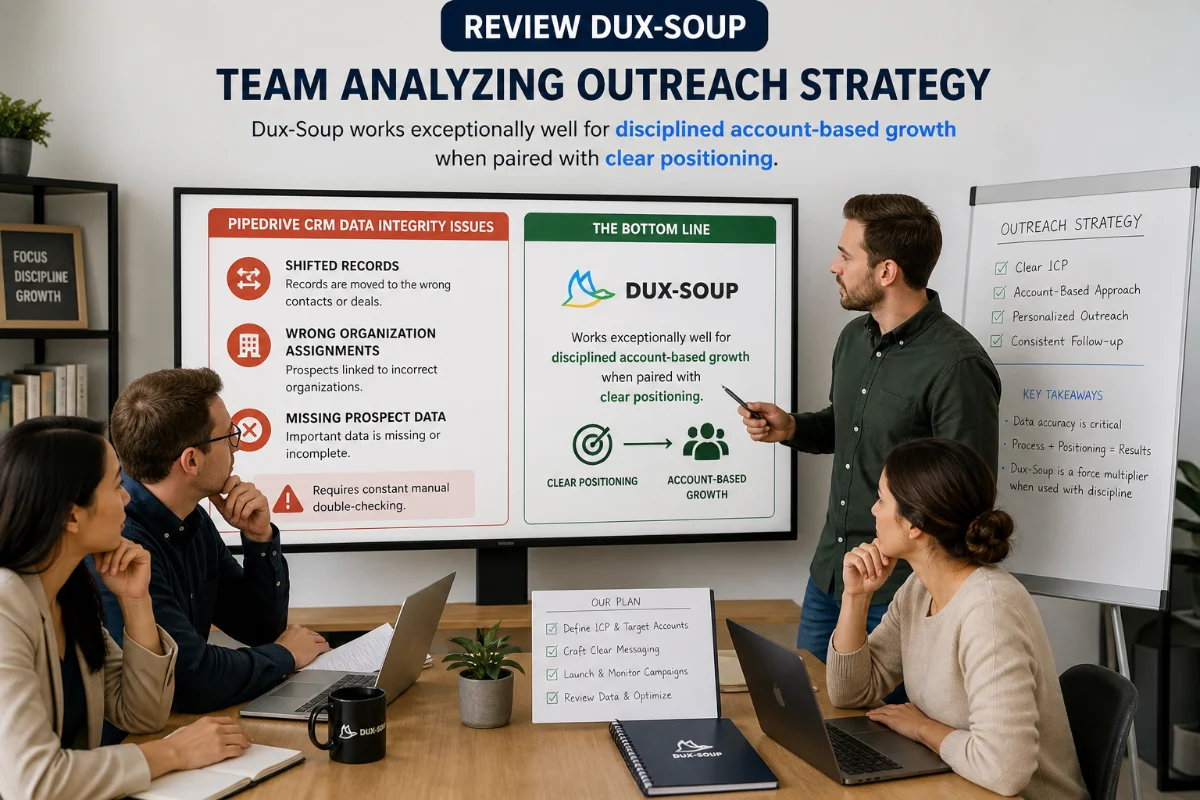
- Pipedrive CRM Data Integrity Issues: Like user John Collins pointed out on Trustpilot, connecting Dux-Soup to Pipedrive can result in shifted records, wrong organization assignments, and missing prospect data, requiring constant manual double-checking.
Comparison With Competitor Platforms
How does Dux-Soup hold up when placed side-by-side with other heavy hitters in the outreach space? Let’s take an honest look at how it fares against both old manual ways and popular cloud platforms like Dripify and Expandi.
| Feature / Metric | Dux-Soup (Turbo) | Dripify | Expandi |
|---|---|---|---|
| Monthly Cost | ~€49 / month | ~$59 – $99 / month | ~$99 / month |
| Architecture | Browser Extension / Cloud Option | Cloud-Based | Cloud-Based |
| IP Protection | Uses Native Browser IP | Dedicated Proxy Assigned | Dedicated Proxy Assigned |
| Sales Navigator Support | Excellent (Direct Page Read) | Good (URL / Search Import) | Good (Search / Webhook Import) |
| Drip Sequence Steps | Up to 12 Steps | Custom Flowchart Builders | Custom Flowchart Sequences |
Dux-Soup vs Dripify
Dripify offers a visually modern flowchart builder for constructing complex visual decision trees. However, Dripify starts at higher monthly price points and operates completely in the cloud. If you prefer working directly within your active browser tabs where you conduct Sales Navigator searches, Dux-Soup feels far more immediate and costs significantly less.
Dux-Soup vs Expandi
Expandi is built primarily for agencies seeking cloud isolation across dozens of client accounts without running local browser extensions. However, at nearly double the monthly cost per seat, Expandi is overbuilt for single users or small teams who want simple, direct B2B lead generation without managing complex proxy networks.
Buying, Plan Selection & Strategy Guide
Choosing the right setup with Dux-Soup comes down to your personal workflow and daily outbound volume requirements:
- Choose the Pro Plan (~€12.99/mo) if: You only want to automate profile visiting to trigger back-visits, tag profiles, export lead list CSVs, and send basic connection requests without needing automated multi-step follow-up sequences.
- Choose the Turbo Plan (~€49/mo) if: You are serious about closing deals. You need automated follow-up messages, multi-step drip campaigns, delay logic, auto-pausing on prospect reply, and direct webhook connections to tools like HubSpot or Zapier.
- Choose the Cloud Plan (~€99/mo) if: You run an agency or sales team and need non-stop 24/7 campaign execution without leaving desktop Chrome browser windows open on your laptop during the day.

Pro Tip for Best Campaign Performance: Never execute outreach on wide, unrefined searches. Use Sales Navigator to narrow targets down to professionals who have posted on LinkedIn within the past 30 days. Their active presence combined with Dux-Soup’s automated messaging reliably yields response rates above 25%.
Final Verdict: Is Dux-Soup Worth the Money?
Looking back at those late-night sessions spent manually copying and pasting names across bloated browser tabs, switching to Dux-Soup was one of the most practical operational upgrades I made for my pipeline. It gave me back hours of focus time every day while keeping my outreach steady and consistent.
Is it absolute perfection? No. The activity queue display can feel confusing, and if you rely on Pipedrive CRM, the data sync glitches will annoy you. But if you want an affordable, highly responsive LinkedIn engine that runs safely alongside Sales Navigator and converts cold contacts into live sales conversations, Dux-Soup delivers tremendous practical value.
Who SHOULD Buy Dux-Soup: Solopreneurs, account executives, agency owners, and lean sales teams looking for a battle-tested, reasonably priced outreach tool that works directly inside their browser.
Who SHOULD SKIP Dux-Soup: Sales operators who refuse to run Chrome extensions locally and aren’t willing to pay for Cloud tiers, or those who depend heavily on flawless automated Pipedrive record syncing.
Start Generating Qualified LinkedIn Leads Today
Put your manual prospecting on auto-pilot. Launch your first targeted sequence with Dux-Soup.
Get Started With Dux-Soup Today
Frequently Asked Questions
Is Dux-Soup safe for my LinkedIn account?
Yes, when used responsibly. Dux-Soup operates inside your actual browser, replicating human typing speeds and page visits while offering customizable daily throttling limits to keep actions well within platform boundaries.
Does Dux-Soup require keeping my computer turned on?
For Pro and Turbo browser extension tiers, your computer must stay awake with Chrome open for campaigns to process. If you require 24/7 background execution without local browser activity, you can choose the Dux-Soup Cloud plan.
Can Dux-Soup automatically stop sending messages when someone replies?
Yes. As soon as a prospect sends an inbound reply on LinkedIn, Dux-Soup automatically removes them from the active drip sequence so you can step in and manage the conversation manually.
How many steps can I add to a Dux-Soup drip campaign?
On the Turbo tier, Dux-Soup supports up to 12 follow-up steps per campaign, complete with custom day or hour delays between each message.
Does Dux-Soup work alongside standard free LinkedIn accounts?
Dux-Soup works on standard free accounts, but it provides the strongest targeting results when paired with LinkedIn Sales Navigator due to its granular filter capabilities.
Can I integrate Dux-Soup with my CRM?
Yes. Dux-Soup Turbo integrates natively with HubSpot and offers Zapier, Make, and custom webhooks for wider connections, though Pipedrive sync users should monitor data field mapping closely.
[…] But looking into their history, Dux-Soup is actually one of the absolute original pioneers of LinkedIn automation, boasting over 300,000 users […]